What Is the Best Way to Monitor RDP Sessions on Windows Server?
- May 20
- 3 min read
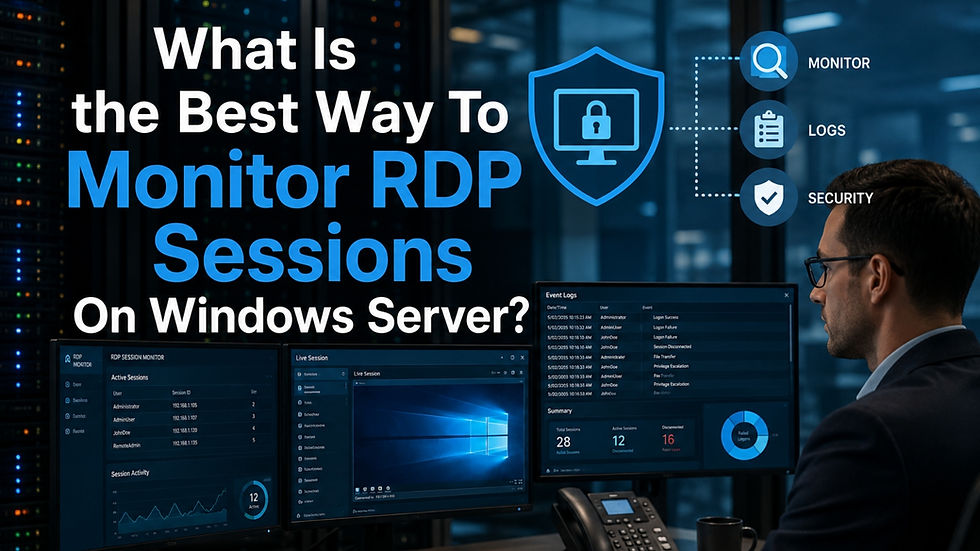
Remote desktop environments have become essential for IT teams, remote employees, and third-party vendors, but they also introduce major security concerns when left unmanaged. Remote desktop monitoring has become a critical priority for organizations using Windows Server because unauthorized activity, insider misuse, and compliance gaps can easily go unnoticed without proper oversight. Many cybersecurity consultants explain that remote access itself is not the biggest issue; the real problem is the lack of visibility after users successfully log in. Businesses that actively Monitor RDP sessions often detect suspicious behaviour faster, improve operational accountability, and reduce the risk of costly security incidents affecting sensitive systems or customer data.
Why Windows Server RDP Monitoring Matters
Windows Server environments often store confidential company information, administrative controls, and critical operational systems. A compromised remote desktop session can expose sensitive records, interrupt workflows, or create compliance problems that harm both finances and reputation.
IT professionals frequently recommend proactive monitoring because attackers commonly target Remote Desktop Protocol connections during ransomware attacks and credential theft attempts. Even legitimate employees can accidentally create security risks through unsafe file transfers, configuration errors, or unauthorized software installations.
Organizations that improve visibility into remote access behaviour often experience:
Faster incident investigations
Better audit readiness
Stronger accountability for administrative actions
Reduced insider threat exposure
Improved operational transparency
Security teams usually view monitoring as a preventative security layer rather than simply an investigative tool.
Common Challenges Businesses Face

Limited Visibility After Login
Many companies only review successful or failed login attempts. While authentication logs provide useful information, businesses often use a workflow tracker to understand what users actually did during the session.
Without deeper oversight, businesses may struggle to identify:
Unauthorized system changes
Suspicious file transfers
Policy modifications
Privilege escalation attempts
Unapproved software installations
This lack of visibility can slow investigations and increase operational risk.
Managing Vendor Access Securely
Third-party vendors and external IT consultants often require temporary remote access for maintenance or troubleshooting. Unfortunately, some organizations grant broad permissions without implementing proper review procedures.
Cybersecurity specialists frequently advise businesses to apply stricter oversight to vendor sessions because third-party access remains a common entry point for security breaches.
Meeting Compliance Requirements
Industries such as healthcare, finance, and legal services face growing pressure to maintain stronger oversight of remote access activity. Auditors increasingly expect businesses to demonstrate:
Who accessed the server
When the access occurred
What activities were performed
Whether those actions were authorized
Organizations unable to provide this visibility may face compliance penalties or failed security assessments.
Effective Methods For Improving Oversight

Session Recording
Session recording helps organizations capture remote desktop activity for later review. IT teams often use screen recording to investigate suspicious behaviour, verify administrative actions, or troubleshoot technical issues.
Recorded sessions also help security teams understand exactly what occurred during a security incident instead of relying only on basic event logs.
Real-Time Activity Alerts
Modern monitoring platforms can immediately notify administrators when unusual behaviour occurs. Common alert examples include:
Access outside business hours
Multiple failed login attempts
Unexpected geographic logins
Large file downloads
Repeated administrative changes
Real-time alerts help businesses respond to potential threats before they escalate into serious operational problems.
Organizations managing multiple Windows Servers often benefit from centralized dashboards that combine logs, reports, and alerts into a single interface.
This simplifies oversight for IT administrators, compliance officers, and cybersecurity teams while improving long-term visibility into security patterns and operational trends.
You can also watch: EmpMonitor: All-In-One Workforce Management Solution | Employee Monitoring Software
Conclusion: Future Trends In Remote Desktop Security
Monitor RDP sessions effectively by combining activity visibility, access controls, real-time alerts, and consistent policy enforcement instead of depending solely on authentication logs. Businesses that strengthen oversight within Windows Server environments often improve security readiness, simplify compliance management, and reduce operational risks tied to remote access activity. As remote infrastructure continues expanding across industries, organizations that prioritize proactive monitoring are far more likely to prevent avoidable security incidents before they grow into costly disruptions. Review your current remote access practices today and identify areas where stronger visibility can improve both protection and accountability.
FAQs
What is the purpose of monitoring remote desktop sessions?
Monitoring remote desktop sessions helps organizations track user activity, improve accountability, strengthen cybersecurity defenses, and support compliance requirements. It also assists IT teams when investigating suspicious behaviour, reviewing operational changes, or responding to security incidents affecting Windows Server environments.
How do businesses usually monitor Windows Server RDP activity?
Businesses commonly use session recording tools, centralized logging platforms, activity monitoring software, and real-time alert systems. Many organizations combine multiple approaches to improve visibility, simplify audits, and detect unusual activity patterns more efficiently across remote server environments.
What mistakes should companies avoid when securing remote desktop access?
Common mistakes include relying only on passwords, ignoring third-party vendor activity, granting excessive permissions, failing to review logs regularly, and implementing monitoring without clear internal policies. Businesses should also avoid unmanaged administrative accounts because they increase overall security risk significantly.


Comments